Register To BackOffice
You can manage your Account and access your reports through tthe application's backoffice page at: https://backoffice.posit-app.com/
To register to the backoffice, visit the page https://backoffice.posit-app.com/. Sign up with the email you used when activating your subscription and choose any desired password.
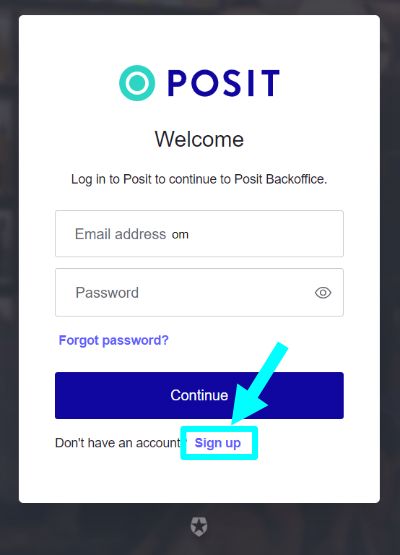
Make sure to use the same email you used to purchase the subscription; otherwise, you will not have access to your store.
Next, you will receive an email to confirm the validity of your email address. Click the "Verify your Account" button. Please check the spam folder too, in case you cannot find the email in your Inbox.
Finally, log in with the email and password you selected.
If you own more than one store and have purchased a subscription with the same email, you can select the desired store to manage from the list of available stores on the top left.
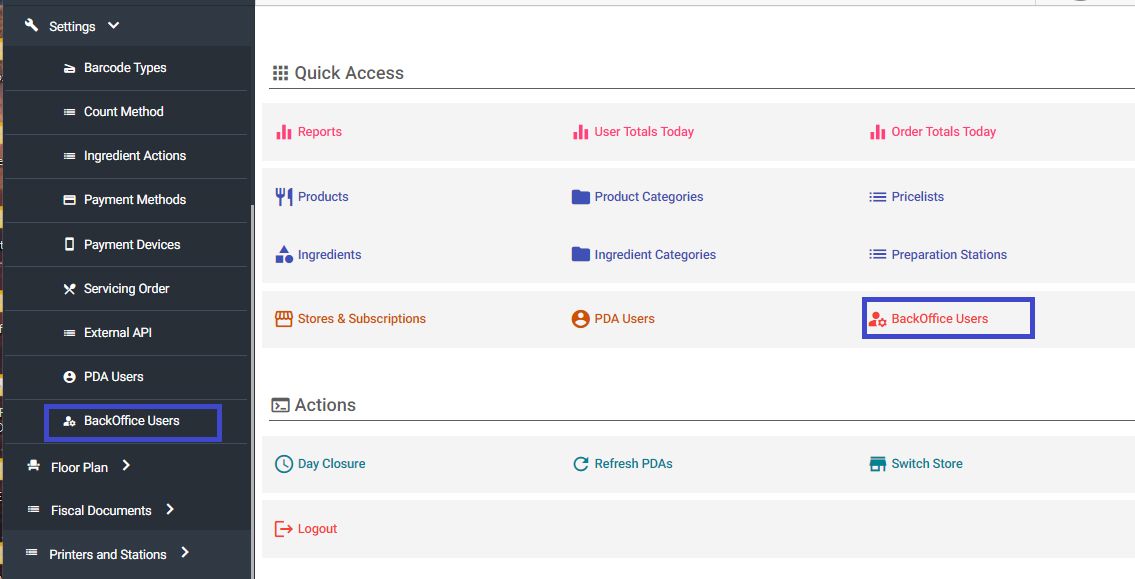
If you wish to grant access to additional emails/users in the backoffice, you can add their emails through the backoffice menu "Dashboard" -> "Backoffice Users".